Free · Open Source ·

Turn your Mac’s screen into a living photo album

Let your Photos library resurface on your Mac. Move with ← →, pause with Space, and revisit the last 100 photos shown anytime.

Download for macOS v0.7.4 (32)
View demo Get started

Since 2018, people have been asking for this

macOS Mojave (10.14.2) removed arrow-key control from the photo screen saver.

Keyboard arrow keys close the screen saver Previously, when my screen saver was going with photos, I was able to go forward or backward through the photos if I wished by using the keyboard left and right arrow keys. Now, they just close the screen saver. A new bug or "feature" in the latest Mojave update? iMac Line (2012 and Later) Posted on Dec 13, 2018 12:34 PM Me too (707)View source ↗ Mojave 10.14.2 - Slideshow arrow keys no longer working in photos screensavers I've updated to Mojave 10.14.2 a few days ago, and the photo screensaver which I've always used no longer allows you to use the back or forward arrow keys to shuffle through the photos you've already seen. Real bummer. … sometimes a "long-lost" photo will show up and I'll want to arrow back to see it. Loved this feature... Mac mini 2018 or later Posted on Dec 16, 2018 6:21 AM Me too (23)View source ↗ mojave phot screensaver control I have had a photo slideshow set as my screen saver for a long time. … Previously, I could use the left and right arrow keys to go forward and backward in the slide show without waking the computer--a useful feature as in screensaver mode my computer served for a time as a digital frame. That function seems to be lost in the latest update. iMac Pro Posted on Dec 18, 2018 5:40 PM Me too (39)View source ↗ Screensaver in Mojave Before updating to Mojave on my MacBook Pro 13-inch 2017, i could scroll through the pictures shown in Screensaver with the arrows. If I hit an arrow now the only thing happening is that the Login pops up. … Does anyone know how I can get back the possibility to scroll forth and back in the pictures? Macbook (2016 or later) Posted on Jan 2, 2019 5:41 AM Me too (66)View source ↗ screen saver advancement/review with arrow keys Our new computer with Catalina OS does not let us advance/review our photos using the arrow keys when the screen saver is running. Our family loved this feature as it started conversations and memories about our lives together. The arrow keys let us pause to look at a specific picture or go back and review one. Please put it back on your to do list. Posted on Jan 12, 2020 11:56 AM Me tooView source ↗ Scrolling through screen saver photos in Big Sur 11.3.1 ? In past versions of iOS it was possible to scroll forward and back using arrow buttons during photo screensaver. This isn’t working in BigSur11.3.1 Can this function be enabled? Mac mini 2018 or later Posted on May 21, 2021 9:00 AM Me too (24)View source ↗ Manually advancing photo screensaver? I connect this mini to my living room TV and during the holidays, i put on the photo screensaver filled with all family memories … EXCEPT: when people are sitting down, someone misses a picture and wants to see it again. On my old Mac Mini (mid 2011 running 10.13.6) i could use the left/right arrow keys to rewind/fastforward the photos. Now using those arrows wakes the computer from the screensaver. Mac mini, macOS 12.1 Posted on Oct 16, 2022 9:08 AM Me too (32)View source ↗
Straight-on front view of a silver iMac
August 16, 2025 at 8:41 PM Lake Como, Italy IMG_1842.HEIC
▶ 1 / 3
DejaVuScreensaver
Slideshow style
Visible photo details

* Simplified for demonstration purposes

Visit on a bigger screen to interact

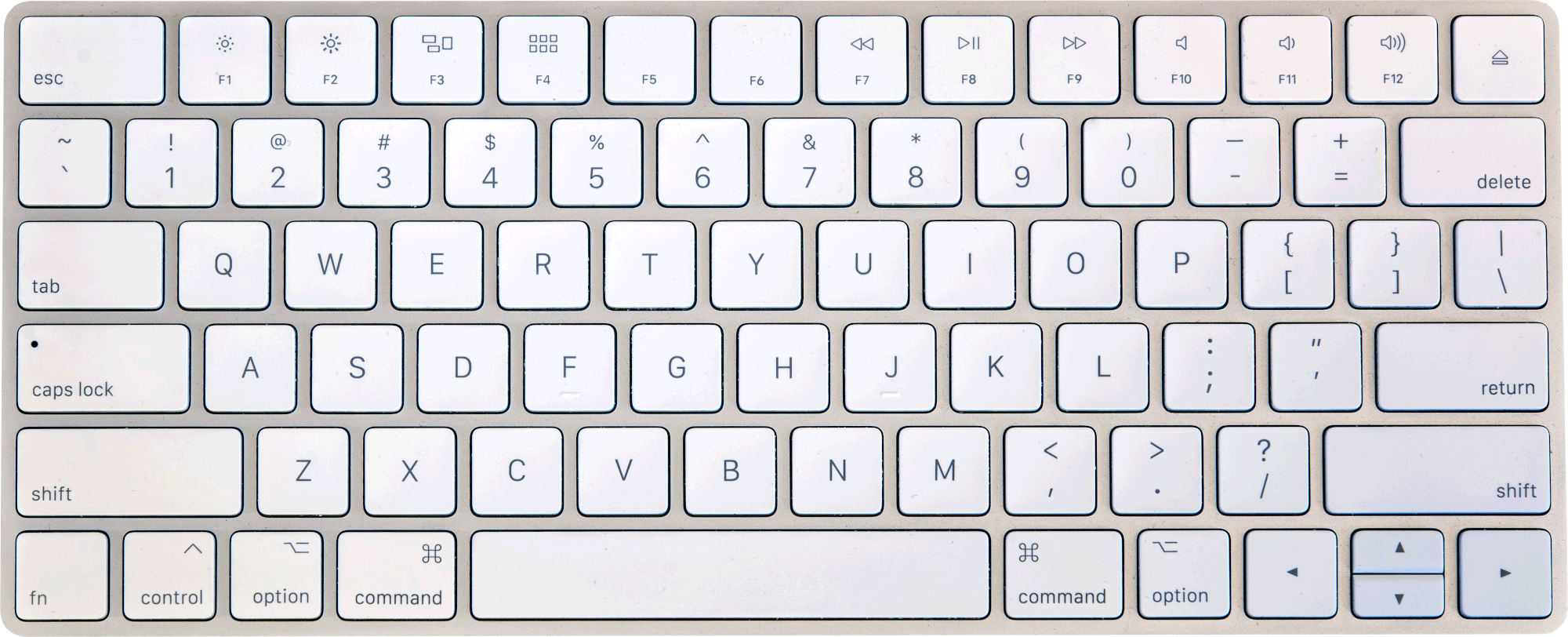
Apple Magic Keyboard

Click the highlighted keys — or use your keyboard.

* DejaVuScreensaver "Settings" window

Signed & notarized

Get started

DejaVuScreensaver is signed with Developer ID and notarized by Apple. Get started in two simple steps.

Apple’s official security guide ↗
  1. 1
    Move it to Applications

    Open the downloaded DMG and drag DejaVuScreensaver into Applications.

  2. 2
    Open it and allow Photos access

    Open DejaVuScreensaver, click Grant Access, and approve the macOS Photos prompt. Then choose your albums and start the slideshow.

Let your Mac’s screen bring back memories

Free and open source, for Intel and Apple Silicon Macs running macOS 14 (Sonoma) or later.

Download for macOS v0.7.4 (32)

Keyboard image: Fletcher / AGreuet, CC BY 4.0; cropped in the page layout.